
Model provider OpenAI
GPT Image 2.5 AI image generator and editor
GPT Image 2.5 creates new images from a prompt and makes controlled edits from up to 16 reference images. Leave uploads empty for text-to-image, or add reference images and describe the exact change while preserving the rest. Choose 1K, 2K, or 4K output for campaign visuals, product scenes, text-rich graphics, and precise image revisions.

Creative examples
Text-rich campaign graphics
Turn a detailed creative brief into an editorial poster or branded social visual with structured typography.

Travel and lifestyle concepts
Explore photoreal, painterly, poster, and layout-led campaign directions from one concise prompt.

Precise scene edits from a reference
Keep a room intact while changing only the requested view, time of day, or environmental detail.
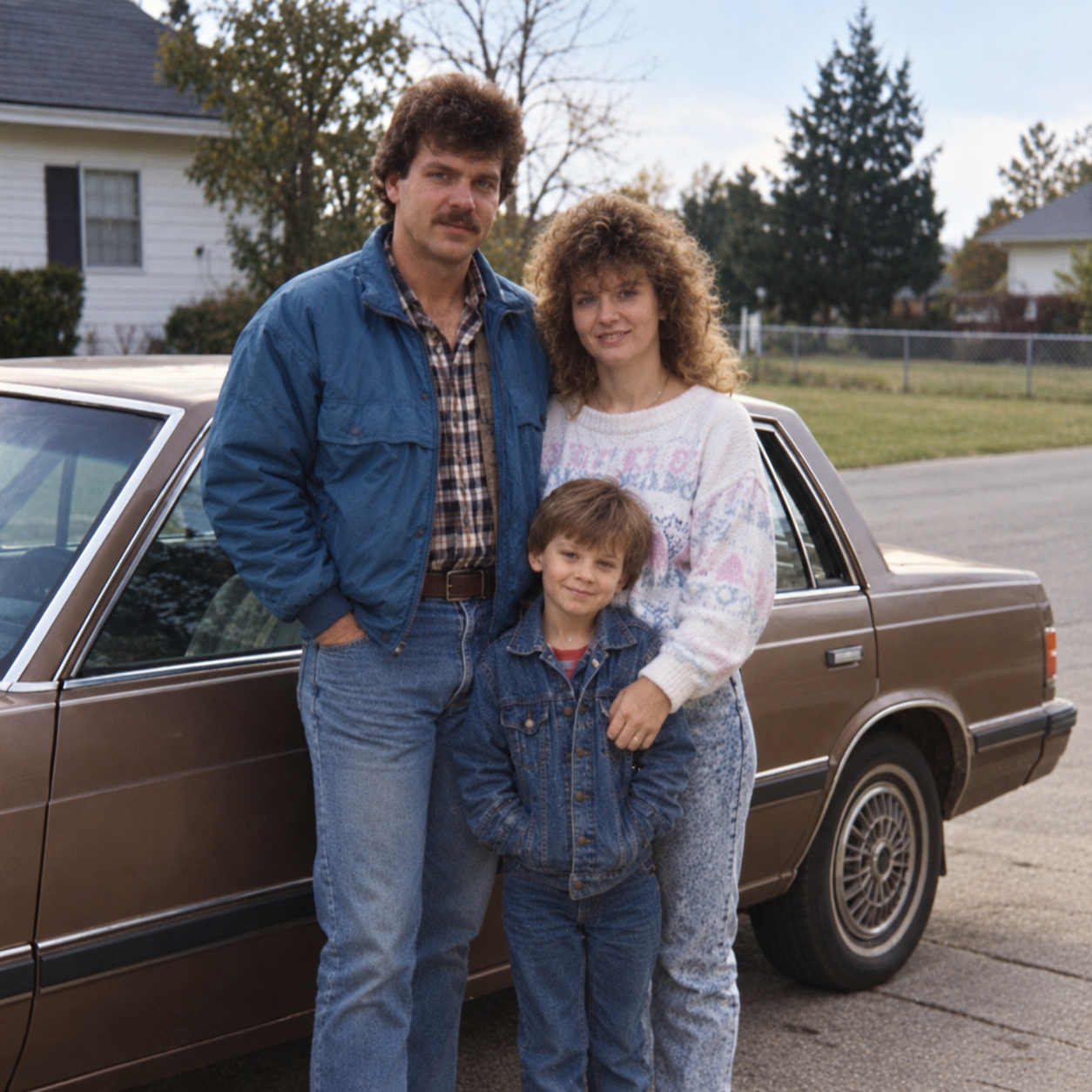
Reference-based photo restoration
Refine a family photograph while retaining the people, composition, and recognizable details that matter.
Demo: text-to-image campaign artwork
Demo: reference-based image edit
Why creators choose GPT Image 2.5 for generation and editing
Generate or edit in one place
Write a prompt for a new image, or upload references to keep what matters while changing the rest.
Keep reference details recognizable
Use up to 16 source images when people, products, materials, or visual relationships need to stay consistent.
Choose the right resolution
Create at 1K for exploration, 2K for polished assets, or 4K when the final visual needs more detail.
Use flexible compositions
Pick auto or supported landscape, portrait, square, and wide aspect ratios.
Credits per generation
Credit costs depend on the selected settings. Confirm the amount on the generation button before submitting.
| Generation configuration | credits |
|---|---|
| 1K | 6 |
| 2K | 10 |
| 4K | 16 |
Flexible Credit Packages
See credit costs for GPT Image 2.5 and every other model on the pricing page. Credits never expire.
Purchased packs do not expire. Historical balances keep their original expiry. Subscription plans: Monthly credits expire at the end of each benefit month.
FAQ
What is GPT Image 2.5?
GPT Image 2.5 lets you create images from a written description or edit uploaded reference images. You can use it for posters, product concepts, travel visuals, and changes to an existing scene.
How do I switch between text-to-image and image editing?
Enter a prompt without uploading images to create a new image. Upload one or more reference images to switch automatically to image editing, then describe what you want to change.
How many reference images can I upload to GPT Image 2.5?
You can upload up to 16 reference images for one editing request. Explain what each image should contribute, such as the subject, composition, or visual style.
How many credits does GPT Image 2.5 use at 1K, 2K, and 4K?
Each generated image costs 6 credits at 1K, 10 credits at 2K, or 16 credits at 4K. Text-to-image and image editing use the same resolution-based rates. Check the credit amount shown on the form before generating.
Which aspect ratios are available at each resolution?
At 1K, choose Auto, 1:1, 3:2, 2:3, 16:9, 9:16, 4:3, 3:4, 21:9, 27:16, 16:27, 9:8, or 8:9. The ratios 27:16, 16:27, 9:8, and 8:9 are available only at 1K; the other options also support 2K and 4K. Changing resolution updates the available ratios.
How can I edit one part of a photo while preserving the rest?
Upload the original photo and specify both the desired change and what should stay the same. For example, ask to replace only the view outside a window while keeping the furniture, camera position, and indoor lighting unchanged. Review the result carefully, since generated edits can also affect other details.