
Upload Your Photo
Select a clear, front-facing portrait photo. The sharper and better-lit your image, the more accurate and detailed the AI Age Progression result will be. PNG, JPG, and WebP formats are supported up to 10 MB.
Upload any portrait and watch ImagineGo's AI Age Progression technology simulate how your face will look years into the future. Powered by advanced facial aging models, the tool preserves your unique bone structure, skin tone, and expression while layering in realistic aging details — all in seconds.
Choose a model and describe your idea. Your finished work will appear here.
Upload any portrait and watch ImagineGo's AI Age Progression technology simulate how your face will look years into the future. Powered by advanced facial aging models, the tool preserves your unique bone structure, skin tone, and expression while layering in realistic aging details — all in seconds.
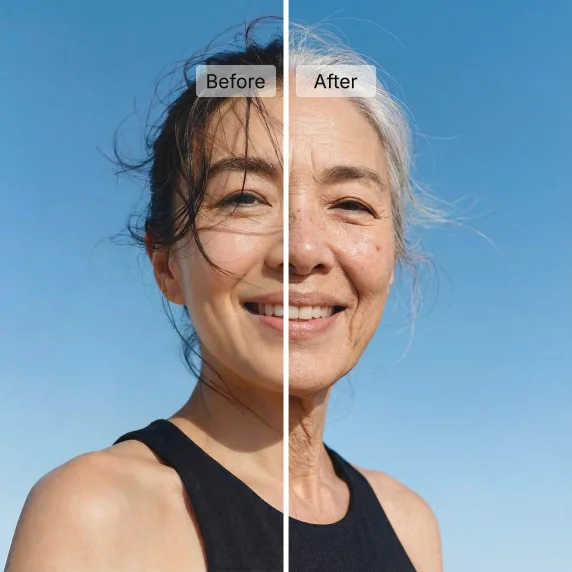
Select a clear, front-facing portrait photo. The sharper and better-lit your image, the more accurate and detailed the AI Age Progression result will be. PNG, JPG, and WebP formats are supported up to 10 MB.
Pick a target age — 35, 50, 65, or 80 — and hit Generate. The AI Age Progression model analyzes your facial geometry and applies photorealistic aging details such as skin texture, volume shifts, and natural wrinkles while keeping your identity intact.
Once your AI-aged portrait is ready, preview it directly in the result panel and download a high-resolution copy. Use it for comparison, creative projects, family keepsakes, or social sharing — no watermark required.
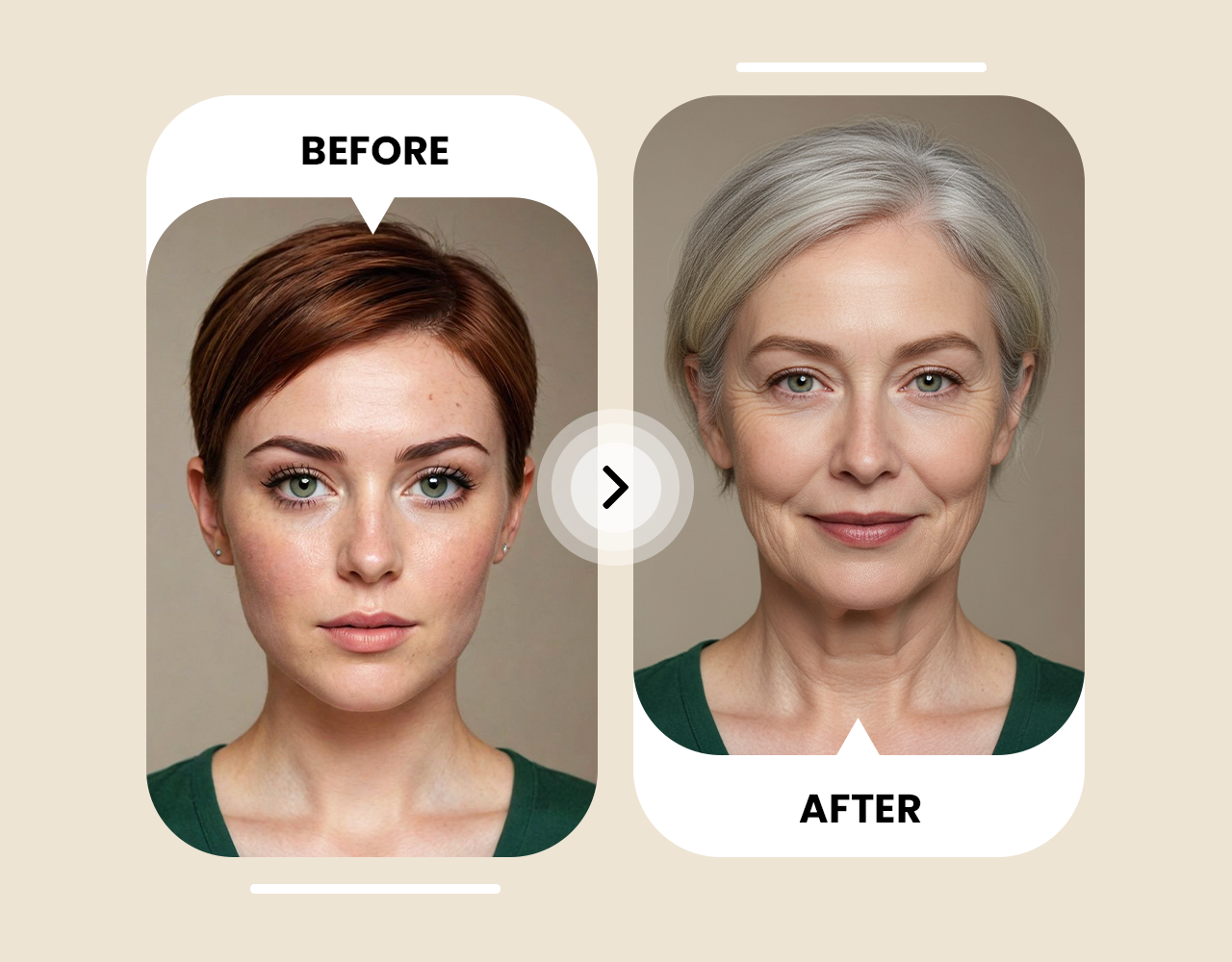
Turn a single portrait into a photorealistic preview of how you might look decades from now. ImagineGo's AI Age Progression engine focuses on natural face transformation — subtle wrinkles, skin texture, and facial volume — rather than heavy filter effects that look artificial.
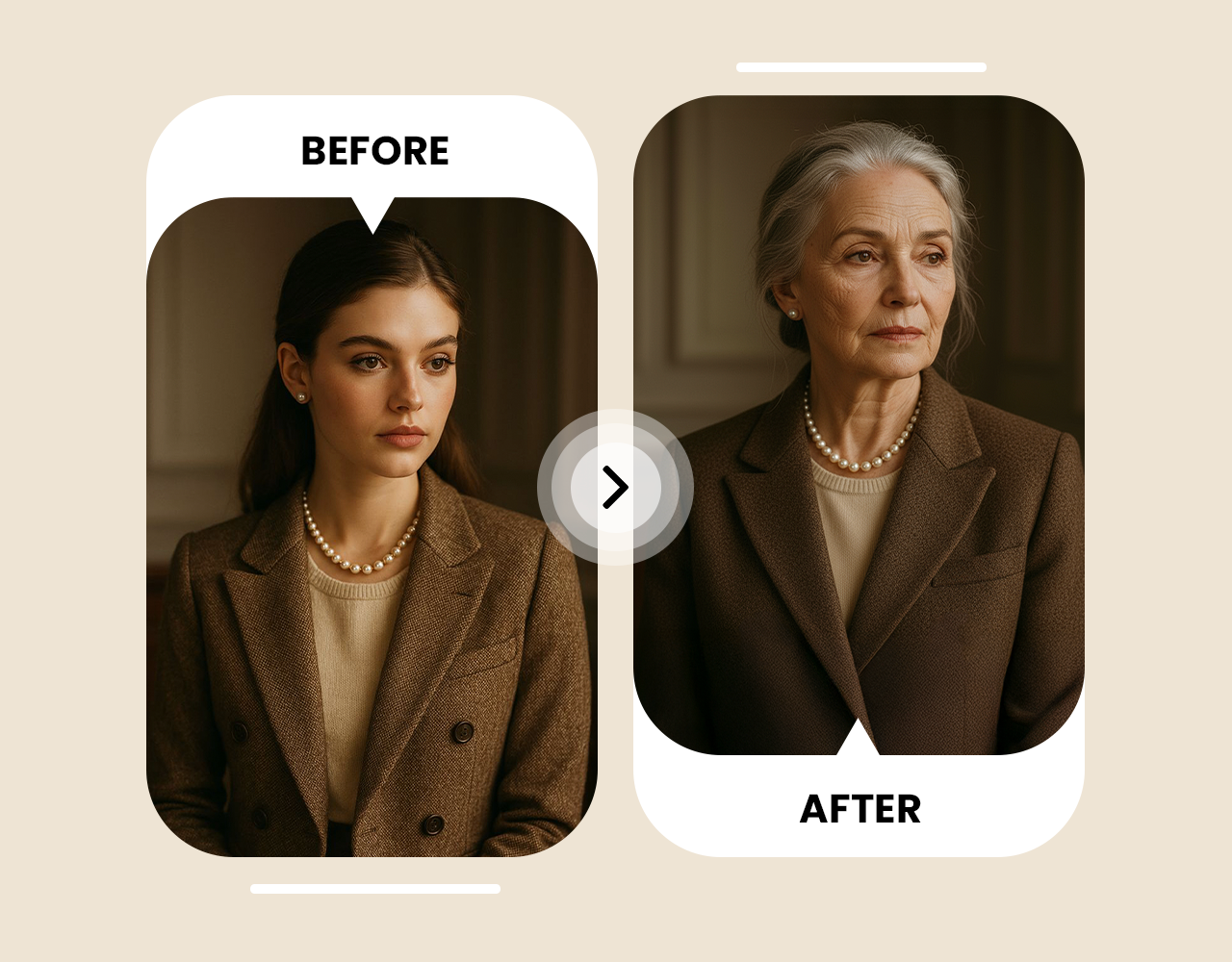
Identity consistency is at the core of every AI Age Progression result. The model locks onto your original bone structure, eye shape, and portrait framing so the aged version is unmistakably still you — just older.
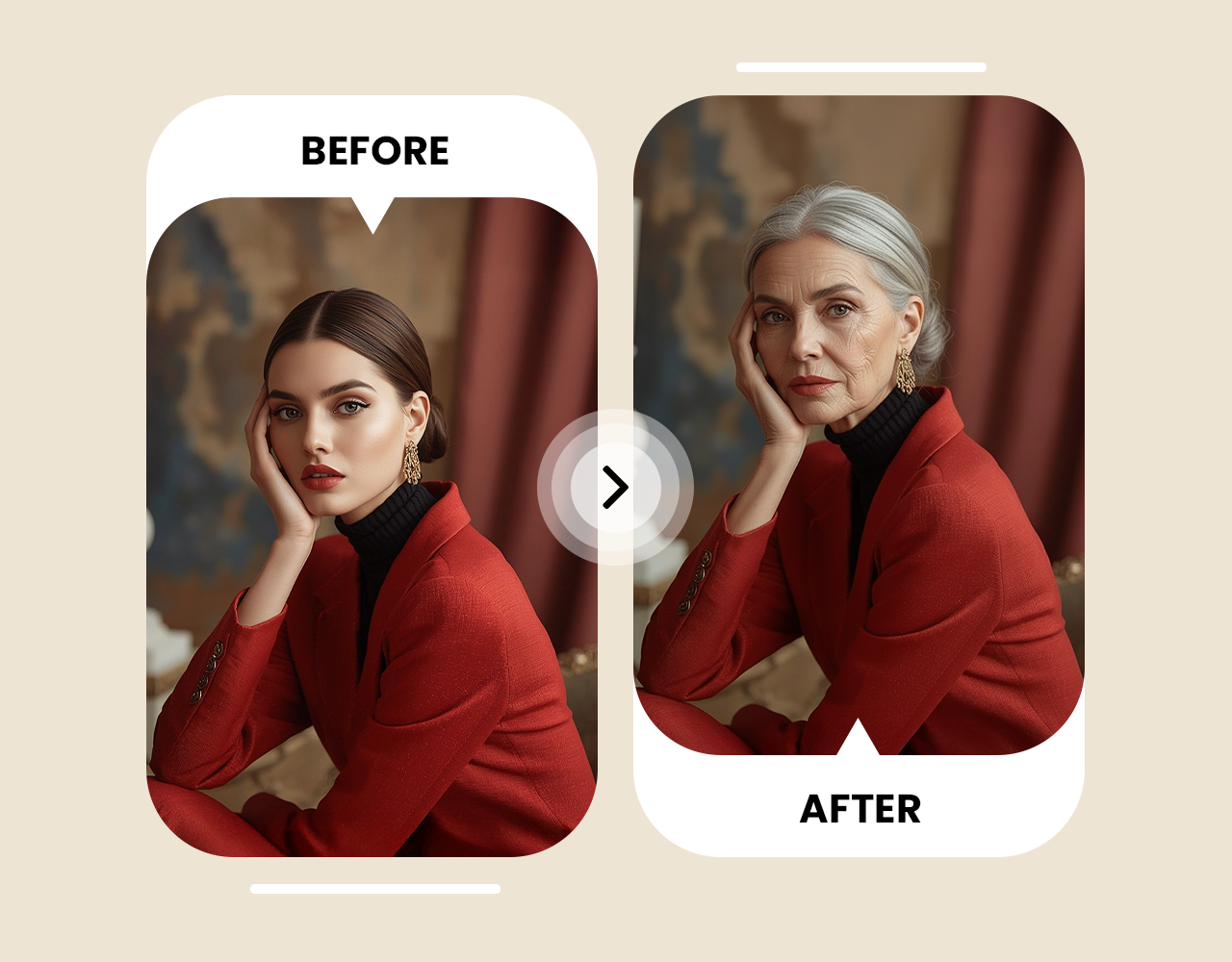
Every AI Age Progression output is generated at high resolution and delivered watermark-free. Download and compare it side-by-side against the original, drop it into a creative project, or share it with friends who want to see their future selves too.
Copy preserved from the original website
Crazy how accurate this is. I uploaded my selfie and saw what I might look like in 30 years. The result kept my features and still felt realistic.
I tried it with a family photo and the AI kept the little facial traits while showing a believable older version. Fun and surprisingly grounded.
I used an AI-aged portrait for a story character. It saved hours of planning and kept the same face across the concept.
Most aging filters look fake, but this one added subtle details without changing my face shape. I used the download in a before-and-after post.
I generated versions at 50, 65, and 80 to compare the changes. Each result was ready quickly and the identity stayed consistent.
The portrait looked polished and realistic, not like a heavy app filter. My friends immediately wanted to try their own future-self images.
It creates a realistic visual simulation by preserving visible facial features while adding natural aging cues. It is best treated as a creative prediction, not a guaranteed future appearance.
Use a clear portrait where the face is visible, well lit, and not heavily covered by glasses, masks, hair, or extreme shadows.
Yes. Selfies usually work well as long as the face is sharp and the camera angle is not too distorted.
Yes. The tool includes age presets so you can generate different stages and compare how the portrait changes.
Generated results are delivered through ImagineGo's normal image generation flow and can be downloaded from the result panel.
Each AI Age Progression generation uses a fixed number of credits based on the image editing model selected. You can see the exact credit cost in the cost panel before you hit Generate. Credits never expire on ImagineGo.
Most AI Age Progression results are ready in under 30 seconds. Generation time can vary slightly depending on server load, but the tool is optimized to deliver fast results without sacrificing realism.
Yes. All images generated through ImagineGo — including AI Age Progression outputs — come with commercial usage rights, so you can use them in projects, content, or client work.
Uploaded portraits are processed solely to generate your AI Age Progression result and are not shared with third parties. Refer to ImagineGo's privacy policy for full details on data handling and retention.
The main factors are photo clarity, lighting, and face visibility. A sharp, well-lit, front-facing portrait with no obstructions produces the most realistic AI Age Progression result. Blurry, heavily shadowed, or profile-angle photos may reduce accuracy.
 Roblox Skin to Minecraft Skin Converter
 Minecraft Skin Editor
 Photo to Disney
 PNG to GLB