Google Flow Explained: What It Is, How It Works, and When to Use an Alternative
ImagineGo Team
5/7/2026

If you are searching for Google Flow, you probably do not want vague AI hype. You want a clear answer: what Google Flow actually is, how it works, what features matter in real video workflows, and whether it is the right tool for you. If your goal is to test AI video generation across more than one model family instead of staying inside a single ecosystem, you can start with ImagineGo's text-to-video workflow.
That is the right framing for this keyword because Google Flow is not just another text-to-video page. Google positions it as an AI filmmaking tool built around Veo, Imagen, and Gemini. In other words, it is meant to help users build cinematic clips, keep visual continuity, and manage scenes more like a creative production workflow than a one-off prompt box.
The useful question is not whether Flow is impressive. It is. The more important question is whether its workflow matches what you actually need: single-platform Google-native filmmaking, or broader model comparison and faster production flexibility.
Key takeaways
- Google Flow is Google's AI filmmaking product, not just a basic video generator.
- Its core value is workflow structure: ingredients, scene continuity, camera control, and scene extension matter more than raw generation alone.
- Flow is built around Veo, plus Gemini for prompting and image models for asset creation.
- It is strongest when you want cinematic iteration inside one Google-native environment.
- It becomes more limiting when you want to compare multiple leading video models or optimize cost across tools.
- ImagineGo is more useful when your real need is model choice, workflow flexibility, and faster cross-model testing.
What is Google Flow?
Google Flow is an AI filmmaking tool from Google that was officially introduced on May 20, 2025. In Google's own description, it is designed for creatives and built around Google's advanced creative models, especially Veo, Imagen, and Gemini.
That product positioning matters. Google is not presenting Flow as a generic “make a clip from a prompt” toy. It is framing Flow as a system for:
- generating cinematic clips
- building scenes with continuity
- creating and reusing assets
- prompting in everyday language
- extending or editing story sequences more coherently
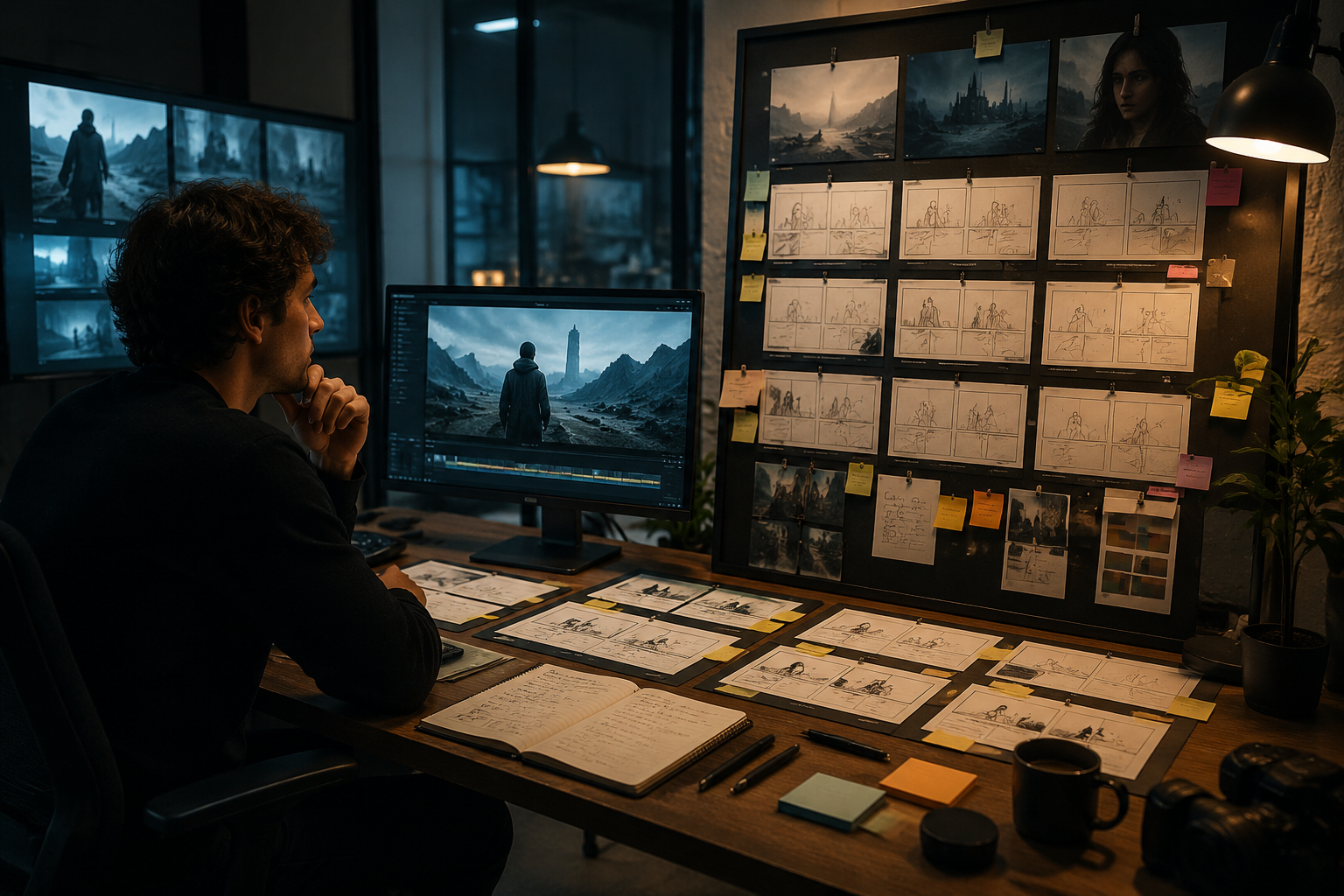
The practical difference is that Flow tries to sit one level higher than a simple text-to-video form. It is closer to a lightweight AI filmmaking workspace.
How Google Flow works
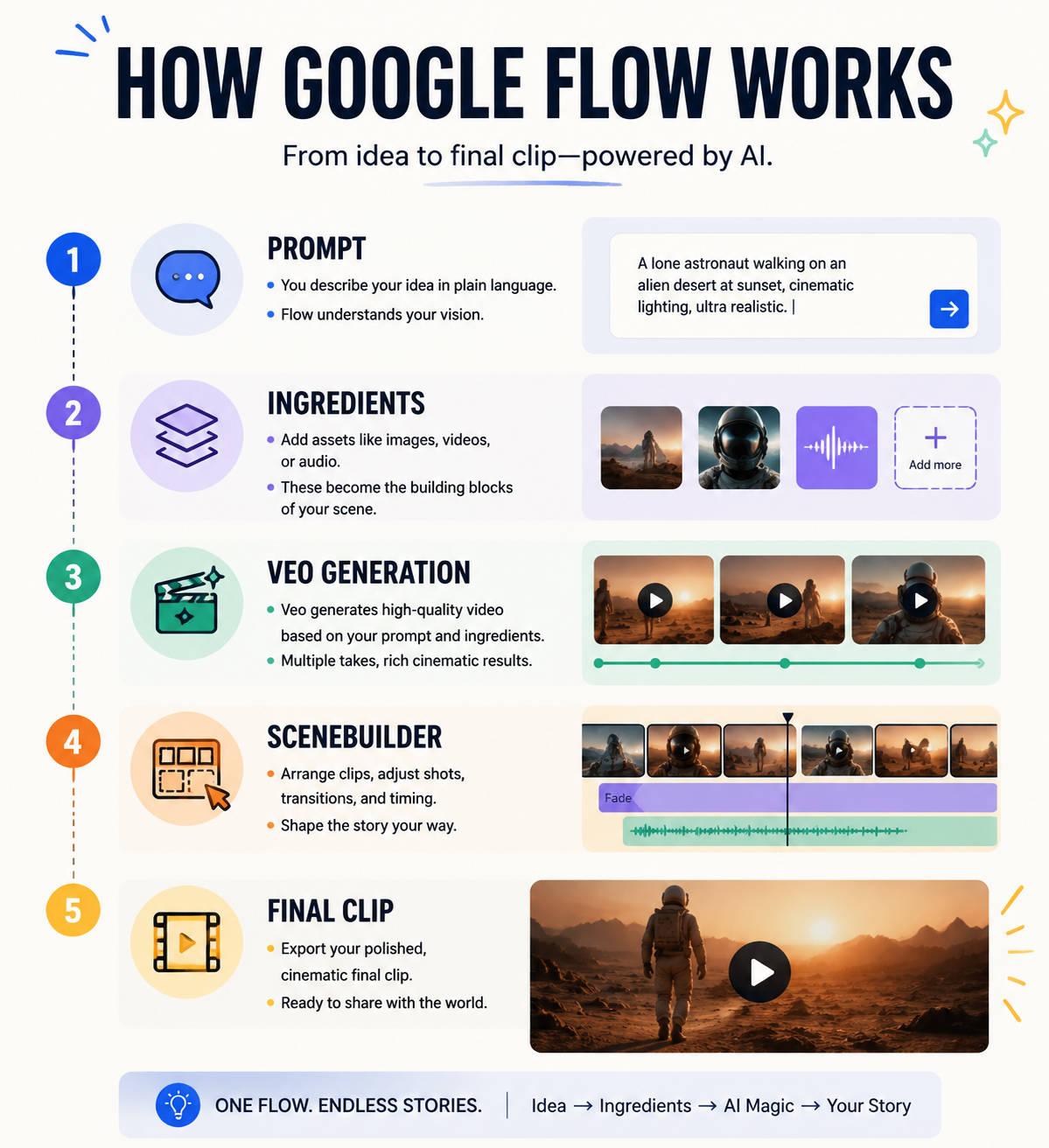
At a high level, Flow combines several layers of capability instead of relying on one model alone.
1. Veo handles video generation
Google's official launch post positions Veo as the video engine behind Flow. Google emphasizes cinematic output quality, stronger prompt adherence, and better handling of motion, realism, and physics than simpler video tools. If you want to test a comparable Google-style video workflow directly on ImagineGo, the most relevant starting point is Veo 3.1 Fast, which fits rapid iteration and creative exploration well.
That is a big part of why Flow attracted so much attention. Users are not only looking for “AI video.” They are looking for something that feels closer to shot design and scene building.
2. Gemini helps with prompting
Google also makes it explicit that Gemini helps make prompting more natural. That means users can describe scenes in more ordinary language rather than writing overly technical generation syntax from scratch.
This is a practical advantage for creators who care more about story direction than prompt engineering.
3. Image models help build reusable ingredients
Google's official explanation of Flow focuses heavily on reusable “ingredients.” These are the characters, scenes, or visual elements you create first and then reuse across clips for stronger continuity. On the image side, that is where a model like Nano Banana 2 becomes relevant in the broader workflow, because fast image generation and editing are often the first step before those assets become motion inputs later.
That design choice is smart because continuity is one of the hardest problems in AI video. A good-looking single clip is easy to demo. A repeatable sequence with visual consistency is much harder.
The features that make Google Flow different
Flow matters because it is not only a model wrapper. It includes a workflow layer that changes how creators use AI video.
1. Ingredients and scene consistency
In Google's launch post, one of the clearest ideas is that once you create a subject or scene, you can reuse those same ingredients across different clips. That lets you preserve identity, visual language, and narrative continuity more effectively.
For creators making story-led work, this is one of Flow's biggest strengths. It is much more useful than treating every generation as an isolated prompt.
2. Camera Controls
Google highlighted Camera Controls as one of Flow's signature professional-style features. The point is not only aesthetic. Camera controls help creators shape shot language more intentionally, which matters if you are trying to produce content that feels cinematic rather than random.
For example, controlling movement, framing, and perspective is much more useful than endlessly regenerating clips just to chase the right feeling by luck.
3. Scenebuilder
Google also introduced Scenebuilder as a way to edit and extend existing shots while preserving motion continuity and character consistency.
This is one of the most important workflow ideas in the whole product. Many AI video tools are good at first outputs but weak at continuation. Flow's pitch is that it helps you build what happens next, not just what happens once.
4. Asset Management
Google includes Asset Management so users can keep prompts, ingredients, and scene elements organized. This sounds simple, but it matters in real work. Once a project has multiple characters, locations, or scene variants, organization becomes part of the creative process.
5. Flow TV
Google's launch announcement also introduced Flow TV, a showcase where users can see generated clips along with the prompts and techniques behind them. For new users, that lowers the learning curve and makes Flow feel more like a creative system people can study, not just a black box.
Which models and features does Flow support now?
Google's current Flow help documentation shows that feature support depends on the active Veo 3.1 mode and on the specific workflow you choose.
The main point is that not every mode supports every feature equally. Google's support page shows a feature matrix across Veo 3.1 Lite, Veo 3.1 Fast, and Veo 3.1 Quality. It also notes that some capabilities, such as Audio Generation, are experimental and tied to Veo 3.1.
That matters for two reasons:
- users need to check which mode supports the exact workflow they want
- the “Google Flow” brand is broader than any single Veo mode inside it
So when people search Google Flow, they are often really asking about a bundle of workflows rather than one static product behavior.
Who can use Google Flow?
Google's launch announcement on May 20, 2025 said Flow was available to Google AI Pro and Google AI Ultra subscribers in the United States at launch. Google's current Flow help documentation now shows a much broader country list, with support across many countries and territories, but the official help center still says feature availability can differ by country.
There are two practical limitations worth noting:
- supported language is currently English in the official Flow help documentation
- feature availability can vary by region and model
That means access has expanded, but users still need to think in terms of operational availability, not just brand announcements.
What Google Flow is best for
Based on Google's own positioning, Flow is best understood as a tool for creators who care about:
- cinematic clip development
- reusable characters or visual ingredients
- iterative scene building
- continuity across short sequences
- prompt-driven filmmaking without a traditional production stack
It is especially appealing for:
- filmmakers prototyping scenes
- content teams exploring narrative video concepts
- educators or storytellers visualizing sequences quickly
- marketers who want more cinematic creative tests
If your main goal is to stay inside a Google-native workflow and push scene continuity further than normal text-to-video tools allow, Flow makes sense.
Where Google Flow feels limiting
This is where search intent becomes more commercial and practical.
Flow is strong, but its strength is also its constraint: it is a Google-centered filmmaking environment. That creates some tradeoffs.
1. You are working inside one model ecosystem
If your workflow depends on comparing different motion styles, cost levels, or model behaviors across the market, Flow is not designed as a multi-model comparison platform. It is designed to make Google's own stack more useful.
2. Feature support varies by mode
Google's own help center makes clear that different Veo 3.1 variants support different features. For users, that means workflow planning can become more conditional than the headline branding suggests.
3. Availability and usage are still product-gated
Flow may be available in many regions now, but access still depends on Google's subscription structure, supported features in your region, and the active model tier.
4. It is not always the best choice for fast model benchmarking
Sometimes the real job is not “learn Flow.” It is:
- compare several top video models
- test multiple prompt directions quickly
- switch between text-to-video and image-to-video without changing platforms
- find a more cost-flexible workflow
That is where a tool like ImagineGo starts to make more sense.
Google Flow vs ImagineGo
This is the comparison many users really need, even if they start by searching only Google Flow.
Use Google Flow when:
- you specifically want Google's filmmaking workflow
- you care about ingredients and scene continuity inside one environment
- you want a Google-native interface for Veo-led exploration
Use ImagineGo when:
- you want to compare multiple leading video models in one place
- you need both Text to Video and Image to Video workflows without switching products
- you want to move from image creation in Nano Banana 2 into video exploration with Veo 3.1 Fast inside one platform
- you want to browse different capabilities on the Models page before committing to one generation path
- you want a broader production workflow rather than a single-brand environment
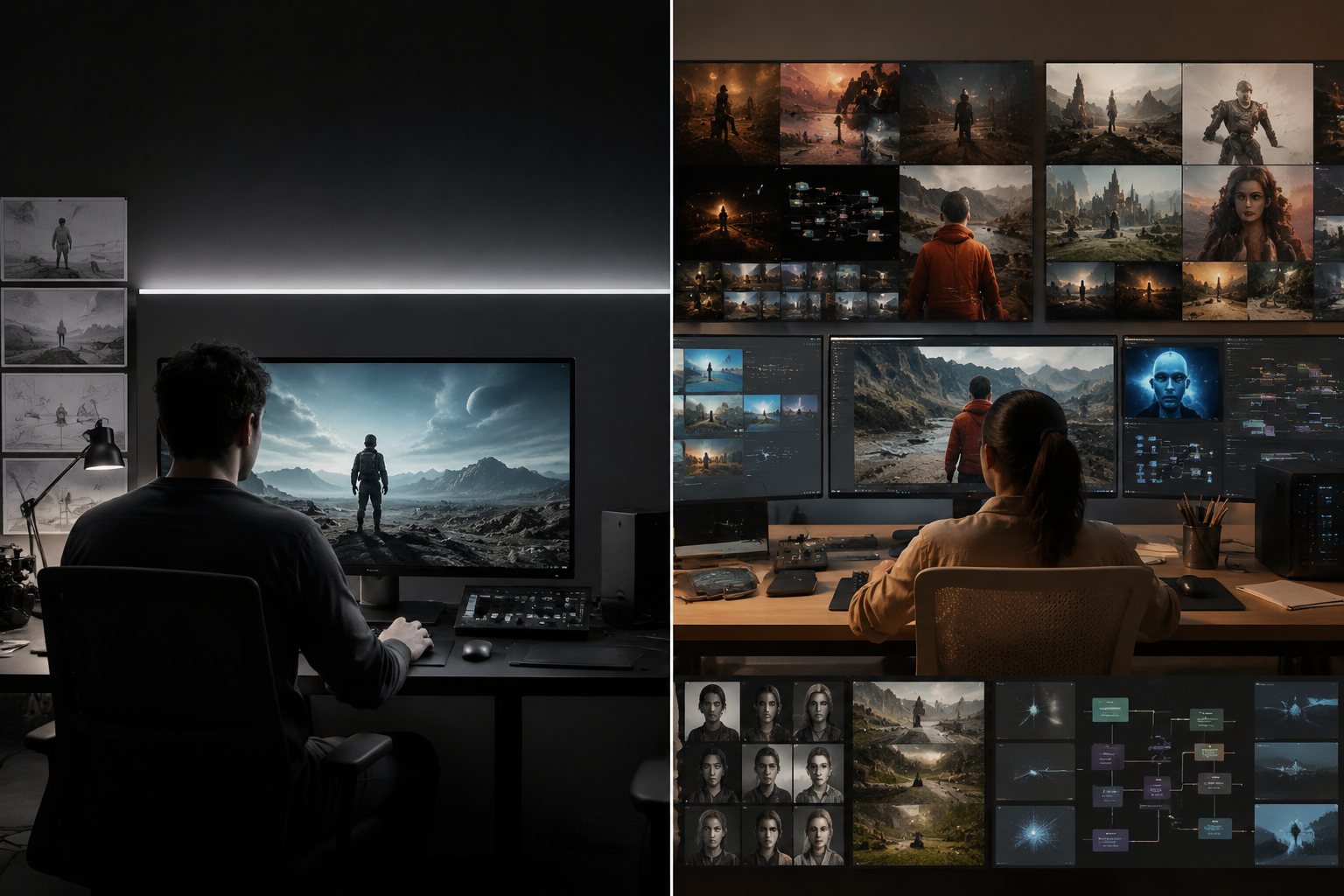
That is the biggest practical difference. Flow is a filmmaking product. ImagineGo is a more flexible AI generation platform for creators who want to choose the workflow and model path that fits the job.
Should you use Google Flow?
If you are attracted to Google Flow, that instinct makes sense. The product is more thoughtful than many AI video tools because it focuses on continuity, shot logic, and reusable ingredients instead of only showing off one impressive clip.
You should seriously consider it if:
- you want to explore AI filmmaking in a Google-native workflow
- you value scene-building more than raw model shopping
- you want a creator-oriented interface around Veo
But if your real need is broader experimentation, cost-aware production, or easier comparison across model families, then you may outgrow a single-platform workflow faster than you expect.
Final answer
So, what is Google Flow?
It is Google's AI filmmaking tool built around Veo, Gemini, and supporting image-generation workflows. Its biggest advantages are scene continuity, reusable ingredients, camera-aware shot control, and a more structured filmmaking experience than many standard text-to-video products.
That makes it genuinely important in the AI video market. But it is not automatically the best answer for every creator. If you want to compare multiple video models, move between Text to Video and Image to Video, and work from a more flexible creation hub, ImagineGo is often the more practical next step.