Seedance 2
Open modelGrok, Veo, Kling and GPT Image.
Choose a model for your next shot.
ByteDance Seedance 2 high-quality video generation with multi-modal reference control
Kling 3.0 next-generation video generation
Google Veo 3.1 fast generation model
xAI's video generation
MiniMax H3 text-to-video and image-to-video with native audio
Kling 2.6 motion control with image and video guidance
With ImagineGo AI video generator, you can tap into our flagship models and all top-tier video models in the industry.
Image-to-video generation from a required reference image
ByteDance video generation with optional audio and fixed lens
Google Veo 3.1 lite generation model
Google Veo 3.1 quality generation model
Alibaba's advanced video generation with lip-sync
Wan 2.7 high-quality video generation with aspect ratio and resolution control
Minimax's professional video generation
Kuaishou's advanced video generation with optional audio
ByteDance Seedance 2 fast video generation, optimized for speed and cost
ByteDance video generation with image, video and audio references, up to 30 seconds
ByteDance Seedance 2 Mini, faster and lower-cost video generation with first/last-frame guidance
Credits shown for default settings. Motion Control is priced per second.
Video and image examples. Explore the models and tools.
A direct route from an idea to a finished asset.
Turn a photo into a Minecraft skin.
ImageTurn a photo into a 64×64 Minecraft skin PNG. Preview and download it; choose Classic / Steve when importing.
Transfer movement from a reference video.
VideoUse Motion Control AI to animate a character image with a motion reference video. Create dance and gesture videos with Kling 2.6 in 720p or 1080p.
Create a product film from one photo.
VideoTurn one product photo into a polished marketing video with ImagineGo's AI Product Video Generator, powered by ByteDance Seedance 2.0 image-to-video.
Bring a clothing product shot to life.
VideoTurn one apparel photo into a polished product video with ImagineGo's Apparel Product Video Maker, powered by Google Veo image-to-video.
Replace text while keeping the original layout.
ImageEdit text in an image with GPT Image 2.5. Upload a JPG, PNG or WebP, enter the original and replacement words, then preview and download your edited image.
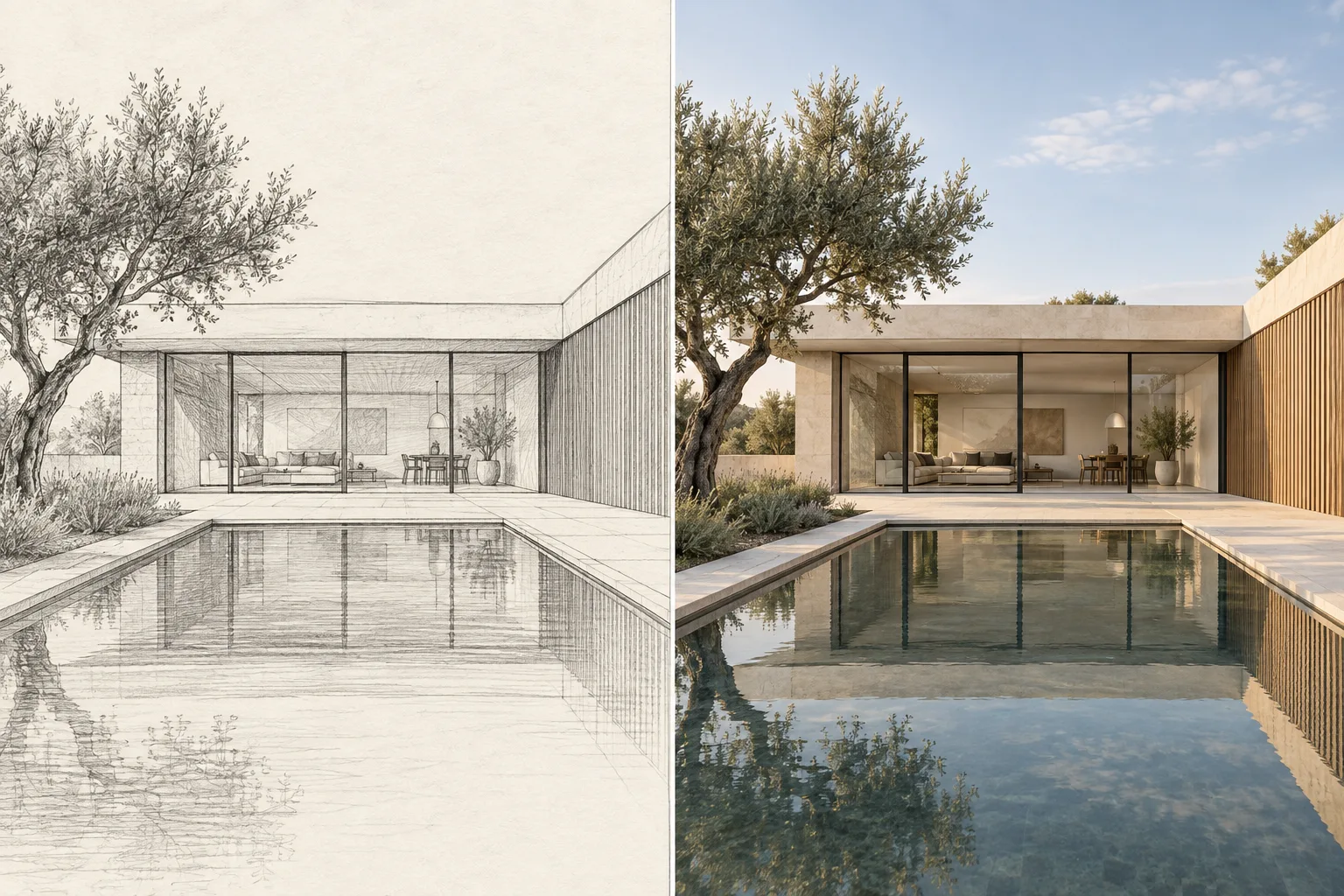
Turn a sketch into a realistic concept render.
ImageTurn architectural, interior and product sketches into realistic concept renders with GPT Image 2.5. Upload a sketch and guide materials and lighting.
Create an animated portrait from a photo.
ImageTurn a photo into a Disney-inspired animated portrait with GPT Image 2.5. Upload a selfie, couple or pet photo and download your AI cartoon image.
Convert a Roblox avatar screenshot into a downloadable 64×64 Minecraft skin PNG. Preview, edit and inspect your character in 3D.
Edit Minecraft skins online with a 3D preview, pixel painting and free PNG export.
Turn a PNG image into a GLB 3D model with AI. Upload a reference, inspect the interactive preview and download your model for further editing.
Build a 3D model from a description
Turn a reference image into a 3D model
Upload a face photo and generate a realistic older version with ImagineGo's AI age progression tool.
Upload a photo and instantly try any hair color with ImagineGo's AI Hair Color Changer. Realistic, natural results in seconds — no salon needed.
Turn any photo into a realistic hand-drawn pencil sketch online with ImagineGo's Pencil Sketch Drawing Converter. Multiple styles, instant, watermark-free.
Turn any photo into bold GTA-style comic art online with ImagineGo's GTA Art Image Generator. Instant, watermark-free loading-screen looks.
Enhance portrait skin texture with natural pores and clarity using ImagineGo's AI Skin Texture Enhancer. Instant, watermark-free.
Transform your photo into a dimensional 3D style with AI. Upload logos, portraits, characters, pets, products, or illustrations and generate a polished 3D-look image.
Turn one character photo into a cute 1080p penguin interaction video with ImagineGo's Gugu Gaga Penguin Video Generator, powered by ByteDance Seedance 2.0 image-to-video with optional audio.
Monthly credits expire at the end of each benefit month.
Updating plan availability...
For solo creators and smaller projects.
A fixed allowance each month. Unused credits do not roll over.
Billed monthly
Billed monthly


For creators publishing regularly.
A fixed allowance each month. Unused credits do not roll over.
Billed monthly
Billed monthly
For frequent production and professional projects.
A fixed allowance each month. Unused credits do not roll over.
Billed monthly
Billed monthly
Estimates use Nano Banana Pro at 16 credits per image and Grok Video at 13 credits per generation with default settings. Images and videos share one credit allowance; the generation page shows the actual cost.
No subscription required for credit packs. Buy credits and use them whenever you want. Purchased pack credits never expire.
Updating plan availability...
| Model | Price | Count |
|---|---|---|
| Grok Imagine Video | 13 credits | 153 videos |
| Grok Imagine Video 1.5 | 11 credits | 181 videos |
| Seedance 1.5 Pro | 7 credits | 285 videos |
| Veo 3.1 Lite | 15 credits | 133 videos |
| Veo 3.1 Fast | 30 credits | 66 videos |
| Veo 3.1 Quality | 225 credits | 8 videos |
| Wan 2.5 | 60 credits | 33 videos |
| Wan 2.7 | 80 credits | 25 videos |
| Hailuo 2.3 Pro | 40 credits | 50 videos |
| MiniMax H3 | 32 credits | 62 videos |
| Kling 2.6 | 55 credits | 36 videos |
| Kling 2.6 Motion Control | 10 credits/s · 720p | 40 videos · 5s reference |
| Seedance 2 Fast | 62 credits | 32 videos |
| Seedance 2 | 76 credits | 26 videos |
| Seedance 2.5 | 315 credits | 6 videos |
| Seedance 2 Mini | 50 credits | 40 videos |
| Kling 3.0 | 70 credits | 28 videos |
| Model | Price | Count |
|---|---|---|
| Z-Image | 0 credits | Free |
| Qwen-Image-2.1 | 4 credits | 500 images |
| Nano Banana | 3 credits | 666 images |
| Nano Banana Pro | 16 credits | 125 images |
| Nano Banana 2.1 | 3 credits | 666 images |
| Nano Banana 2 | 7 credits | 285 images |
| Nano Banana 2 Lite | 3 credits | 666 images |
| Seedream 4.5 | 6 credits | 333 images |
| Seedream 5 Lite | 6 credits | 333 images |
| Seedream 5.0 Pro | 7 credits | 285 images |
| Grok Imagine | 4 credits | 500 images |
| Grok Imagine Image 2 | 4 credits | 500 images |
| Flux 2 Pro | 5 credits | 400 images |
| GPT Image 1.5 | 4 credits | 500 images |
| GPT Image 2 | 6 credits | 333 images |
| GPT Image 2.5 | 6 credits | 333 images |
| Wan 2.7 Image | 5 credits | 400 images |
| Wan 2.7 Image Pro | 12 credits | 166 images |
More models continuously updating...
Secure payments supported
Available payment methods depend on your region and the checkout.
Quantities are estimates at each model’s base credit cost. Duration, resolution and other settings change the final cost. Free models do not consume pack credits. Model costs vary. Review the credit cost before generating.
Access to available video and image models
Use subject to each model’s terms
One-time credit packs do not expire
Account-protected generation history
Preview and download your results
Up to 5 active generation tasks
Resolution options vary by model
Email and support tickets
Your credits never expire. Purchase now and use them next week, next month, or next year.
Purchased packs do not expire. Historical balances keep their original expiry.
Subscription plans: Monthly credits expire at the end of each benefit month.
Start with a few words or an image you already love.
ImagineGo AI text to video generator brings your prompts to life with best-in-class visuals and perfectly synchronized audio. Just type what you imagine.
Prompt:Use this promptA man swims through the air as if it were water, gliding toward his bed in a surreal bedroom. He reaches the bed and begins fluffing the pillows. Soft lighting, dreamlike atmosphere, whimsical and slightly magical.
With ImagineGo AI, you can create jaw-dropping videos from any photos, complete with stylistic consistency and cinematic audio.
Try for FreeImagineGo AI text to image generator transforms your ideas into beautiful visuals. Simply describe what you imagine and watch it come to life.
Prompt:Use this promptIn a handwritten journal style, create a tutorial diagram for ice cream making steps, with the step descriptions in English.
With ImagineGo AI, you can reimagine any image with new styles, enhance details, or completely transform the look while keeping the essence.
Prompt:Use this promptReplace the clothing in image 1 with the outfit from image 2.
Prompt:Use this promptReplace the astronaut on the right with the woman and remove the helmet on the astronaut on the left to show the man's face. The two are looking at each other.
Prompt:Use this promptChange head piece to something made from red flowers
Prompt:Use this promptRestyle this living room in nouveau antique art deco style using the colour swatches
Prompt:Use this promptRemix these 2 images
Prompt:Use this promptA Banana that peels to reveal a lightbulb
Practical guides. Transparent pricing.
Find answers to common questions about ImagineGo AI
Sign up for a free account to receive 10 free credits. Then choose a credit pack if you need more, enter a prompt or upload an image, pick a model, and start generating.
Generation time varies by model, resolution, and queue load. Many image jobs finish in under a minute; video jobs often take longer depending on duration and quality settings. The result panel shows live progress for each task.
Create videos and images with GPT Image 2, Nano Banana, Grok, Kling, Veo, and Seedance in one workspace. Compare each model’s settings and credit costs before generating.
No. Choose a generation mode, describe what you want or upload a reference image, select a model, and generate. Advanced settings are optional.
Each generation is created from your prompt and settings. Results can vary between runs, so you can iterate until you get an output you like.
Watermarks depend on the selected model and its output. Review the result preview before publishing.
Commercial use depends on the selected model and the rights to your inputs. Follow the applicable model and asset terms.
New accounts receive 10 free credits. One-time credit packs start at $5 and do not expire. Optional subscriptions provide monthly credits that expire at the end of each entitlement month.
Purchased packs do not expire. Historical balances keep their original expiry. Subscription plans: Monthly credits expire at the end of each benefit month. Pricing
Choose a model. Set the scene. Make it yours.