
logoimagineGo.ai
Home
Text to VideoImage to Video
Text to ImageImage to Image
ModuleToolsPrompts

Portrait Skin Enhancement

AI Skin Texture Enhancer

Upload a portrait and let ImagineGo's AI Skin Texture Enhancer refine skin clarity, microtexture, and even tone in seconds. Choose natural clarity, soft glow, studio refine, even tone, pore detail, or beauty retouch — the tool keeps your likeness while restoring realistic pores instead of plastic smoothing.

AI Skin Texture Enhancer

Image app

Upload Image

Enhance Style

Aspect Ratio

Cost3 credits
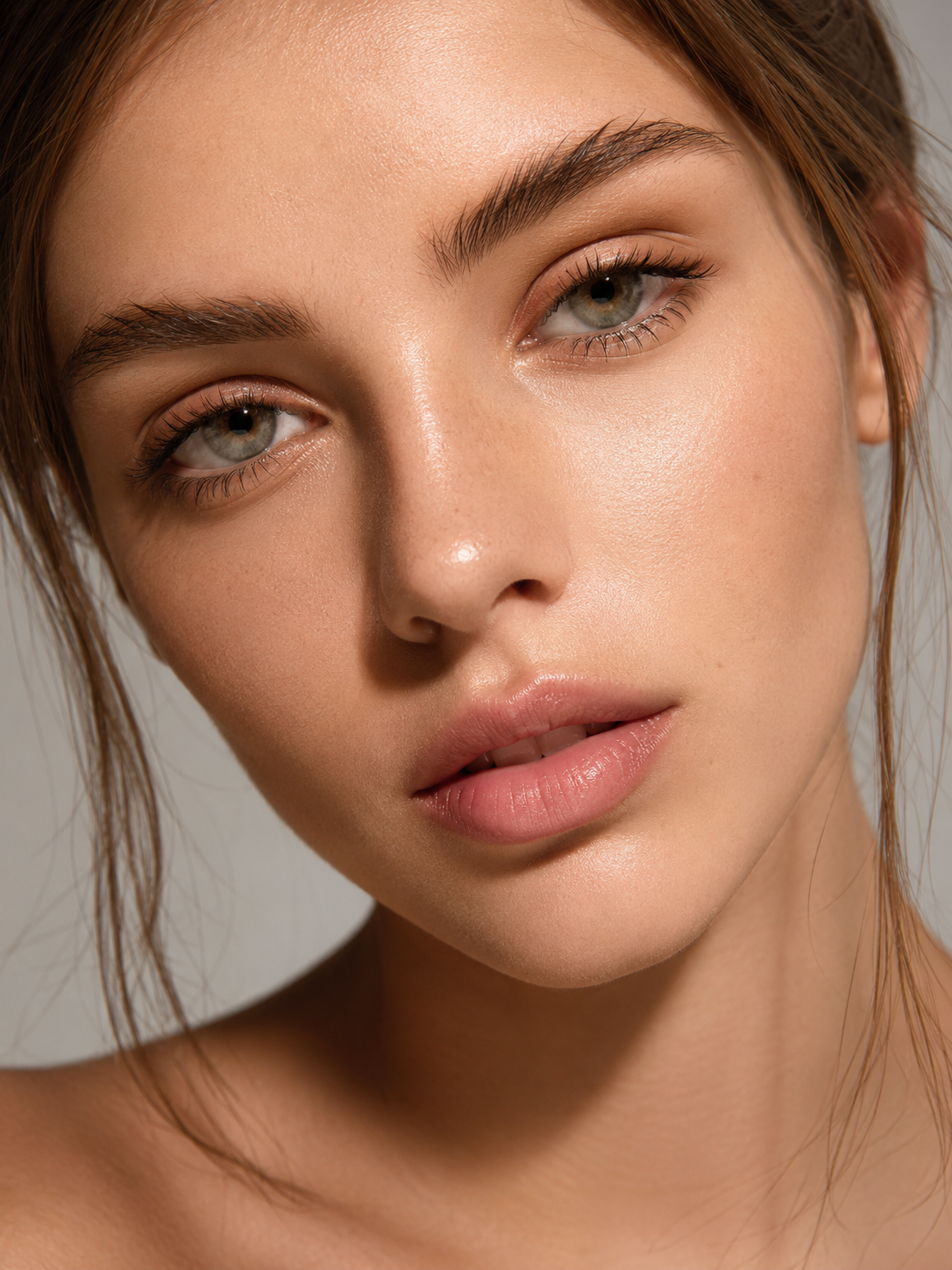
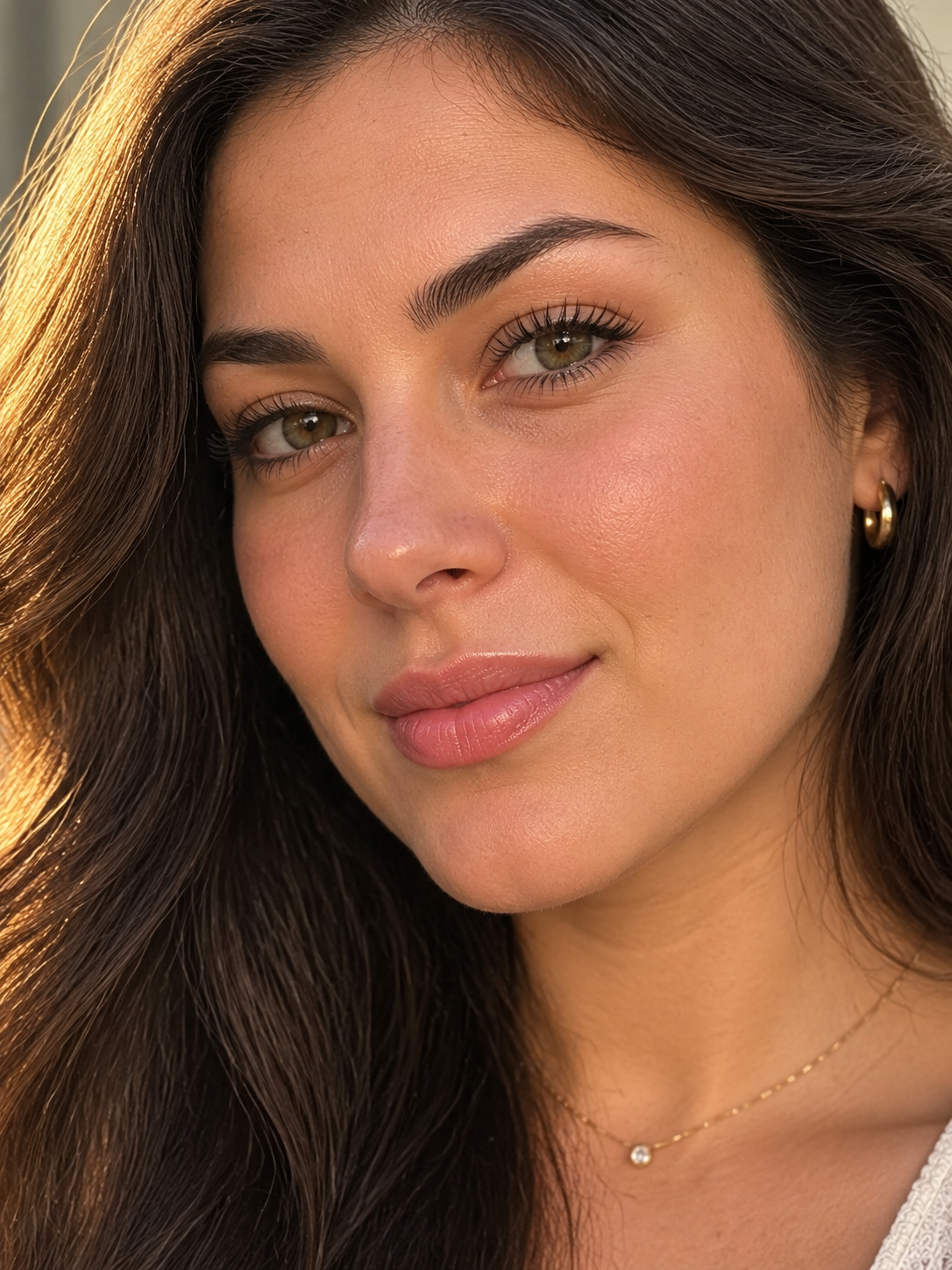
AI Skin Texture Enhancer demo result
Fast upload
Natural texture
Download ready

Results

See What AI Skin Texture Enhancer Can Do

These AI Skin Texture Enhancer examples show how everyday portraits gain clearer skin detail — natural pores, healthier tone, and refined clarity without the plastic look of heavy beauty filters.

AI Skin Texture Enhancer natural clarity demo
Natural clarity enhancement
AI Skin Texture Enhancer even tone demo
Even tone with real texture
AI Skin Texture Enhancer soft glow demo
Soft glow skin refine

Workflow

How to Use AI Skin Texture Enhancer

Upload Photo
1

Upload Your Portrait

Choose a clear face photo with decent lighting. The sharper the original skin detail, the more the AI Skin Texture Enhancer can refine pores and tone without inventing an unnatural finish. PNG, JPG, and WebP up to 10 MB upload in seconds.

2

Pick an Enhance Style

Select natural clarity, soft glow, studio refine, even tone, pore detail, or beauty retouch, then hit Generate. The AI Skin Texture Enhancer improves microtexture and clarity while keeping your face identity and avoiding plastic over-smoothing.

3

Download Your Result

Preview the enhanced portrait in the result panel, then download a high-resolution, watermark-free image. Use it for profiles, portfolios, client proofs, or social posts — try a few styles until the texture looks right.

AI Skin Texture Enhancer

AI Skin Texture Enhancer Refines Portrait Detail

Upload one portrait and the AI Skin Texture Enhancer clarifies skin microtexture in seconds. Keep your likeness while improving pore definition, tone balance, and overall clarity — ideal when a photo looks soft, flat, or over-compressed.

Upload Photo
AI Skin Texture Enhancer Refines Portrait Detail

AI Skin Texture Enhancer

AI Skin Texture Enhancer Keeps Skin Looking Real

Instead of wiping texture away, the AI Skin Texture Enhancer restores natural pores and fine detail. The result looks cleaner and healthier without the waxy, plastic finish common in heavy beauty filters.

Upload Photo
AI Skin Texture Enhancer Keeps Skin Looking Real

AI Skin Texture Enhancer

Download Share-Ready AI Skin Texture Enhancer Results

Every AI Skin Texture Enhancer result downloads at high resolution with no watermark. Drop it into a profile, portfolio, campaign draft, or client review the moment generation finishes.

Upload Photo
Download Share-Ready AI Skin Texture Enhancer Results

Why Creators Love AI Skin Texture Enhancer

Photographers, creators, and profile users use ImagineGo's AI Skin Texture Enhancer to refine portrait skin with natural pores and instant downloads.

A

Anya Petrova

Verified user

2 days ago

Finally no plastic skin

Most retouch apps erase pores. The AI Skin Texture Enhancer cleaned my portrait while keeping real texture. It still looks like me.

B

Ben Harris

Verified user

1 week ago

Great for headshots

Used the studio refine style on a LinkedIn photo. Skin looked clearer and even without that fake blur. Fast and easy.

I

Isabelle Kim

Verified user

2 weeks ago

Soft glow is perfect

I wanted healthy radiance, not heavy makeup skin. Soft glow kept the pores and just polished the tone. Love this tool.

M

Maya Chen

Verified user

3 weeks ago

Saved a soft phone selfie

My selfie looked muddy. The AI Skin Texture Enhancer brought back detail and even tone without changing my face shape.

L

Lucas Meyer

Verified user

1 month ago

Useful for client proofs

I run quick before/after proofs for portrait clients. Natural clarity style is honest and flattering. Downloads are clean.

N

Nora Williams

Verified user

1 month ago

Even tone without wiping detail

Tried even tone on a slightly uneven complexion photo. Texture stayed natural and the result looked professional, not filtered.

AI Skin Texture Enhancer — Frequently Asked Questions

Try AI Skin Texture Enhancer Now

Ready for clearer, natural skin detail? Upload a portrait and let the AI Skin Texture Enhancer refine texture in seconds — watermark-free and share-ready.

Try AI Skin Texture Enhancer Now

Video AI

  • Text To Video
  • Image To Video

Image AI

  • Text To Image
  • Image To Image

AI Tools

  • Free Text To Image
  • AI Group Photo Maker
  • Sora Anime Maker
  • Character Design Breakdown
  • AI Anime Group Photo
  • grok video generator
  • Viral YouTube Shorts Thumbnail AI Generator
  • Anime Character Line Sketches
  • Ultra-realistic Candid Smartphone Photograph
  • Ai Physics Solver
  • Ai Voxel Chibi Fantasy Characters
  • free pokemon fusion generator
  • Ai Food Photography Generator
  • Photo to Minimalist Line Art
  • Free AI Emoji Generator Online
  • AI Product Photography Maker
  • Watercolor Brush Logos
  • View All →

Supported Models

Video

  • Grok Imagine Video logoGrok Imagine Video
  • Grok Imagine Video 1.5 logoGrok Imagine Video 1.5
  • Seedance 1.5 Pro logoSeedance 1.5 Pro
  • Veo 3.1 Lite logoVeo 3.1 Lite
  • Veo 3.1 Fast logoVeo 3.1 Fast
  • Veo 3.1 Quality logoVeo 3.1 Quality
  • Wan 2.5 logoWan 2.5
  • Wan 2.7 logoWan 2.7
  • Hailuo 2.3 Pro logoHailuo 2.3 Pro
  • Kling 2.6 logoKling 2.6
  • Kling 2.6 Motion Control logoKling 2.6 Motion Control
  • Seedance 2 Fast logoSeedance 2 Fast
  • Seedance 2 logoSeedance 2
  • Seedance 2 Mini logoSeedance 2 Mini
  • Kling 3.0 logoKling 3.0

Image

  • z-image logoz-image
  • Nano Banana logoNano Banana
  • Nano Banana Pro logoNano Banana Pro
  • Nano Banana 2 logoNano Banana 2
  • Nano Banana 2 Lite logoNano Banana 2 Lite
  • Seedream 4.5 logoSeedream 4.5
  • Seedream 5 Lite logoSeedream 5 Lite
  • Seedream 5.0 Pro logoSeedream 5.0 Pro
  • Grok Imagine logoGrok Imagine
  • Flux 2 Pro logoFlux 2 Pro
  • GPT Image 1.5 logoGPT Image 1.5
  • GPT Image 2 logoGPT Image 2
  • Wan 2.7 Image logoWan 2.7 Image
  • Wan 2.7 Image Pro logoWan 2.7 Image Pro

Company

  • Contact Us
  • Pricing
  • FAQ
  • Privacy policy
  • Terms of Service
  • Acceptable Use Policy

Blog

  • Blog
  • Grok Imagine 1.5 Preview Review: Is xAI's Image-to-Video Model Worth Trying?
  • GPT Image 2 Prompt Guide: 10 Practical Prompts You Can Use on ImagineGo
  • Google Flow Explained: What It Is, How It Works, and When to Use an Alternative
  • How to Generate Multiple Images at Once in ChatGPT Image 2.0
  • GPT Image 2 Poster Design: How to Build Better Concept Posters With a Smarter Prompt Framework
logoImagineGo.ai

© 2026 ImagineGo.ai. All rights reserved.

[email protected]

Language

🇺🇸English🇨🇳中文🇩🇪Deutsch🇪🇸Español🇫🇷Français🇯🇵日本語🇰🇷한국어🇸🇦العربية