

Anya Petrova
Verified user
2 days ago
Finally no plastic skin
Most retouch apps erase pores. The AI Skin Texture Enhancer cleaned my portrait while keeping real texture. It still looks like me.
Portrait Skin Enhancement
Upload a portrait and let ImagineGo's AI Skin Texture Enhancer refine skin clarity, microtexture, and even tone in seconds. Choose natural clarity, soft glow, studio refine, even tone, pore detail, or beauty retouch — the tool keeps your likeness while restoring realistic pores instead of plastic smoothing.
AI Skin Texture Enhancer
Image app
Upload Image
Enhance Style
Aspect Ratio

Results
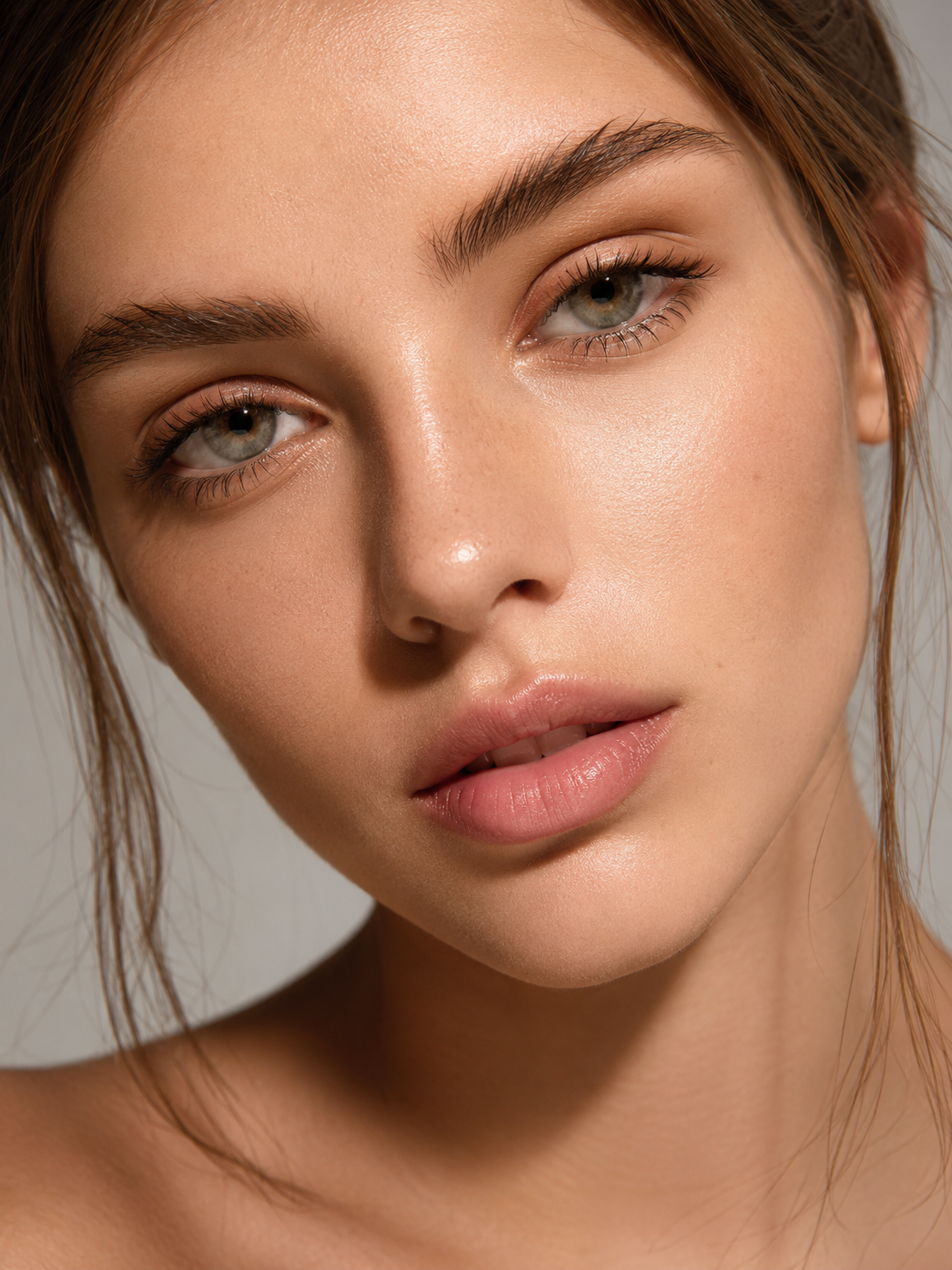
These AI Skin Texture Enhancer examples show how everyday portraits gain clearer skin detail — natural pores, healthier tone, and refined clarity without the plastic look of heavy beauty filters.


Workflow
Choose a clear face photo with decent lighting. The sharper the original skin detail, the more the AI Skin Texture Enhancer can refine pores and tone without inventing an unnatural finish. PNG, JPG, and WebP up to 10 MB upload in seconds.

Select natural clarity, soft glow, studio refine, even tone, pore detail, or beauty retouch, then hit Generate. The AI Skin Texture Enhancer improves microtexture and clarity while keeping your face identity and avoiding plastic over-smoothing.
Preview the enhanced portrait in the result panel, then download a high-resolution, watermark-free image. Use it for profiles, portfolios, client proofs, or social posts — try a few styles until the texture looks right.
AI Skin Texture Enhancer
Upload one portrait and the AI Skin Texture Enhancer clarifies skin microtexture in seconds. Keep your likeness while improving pore definition, tone balance, and overall clarity — ideal when a photo looks soft, flat, or over-compressed.
Upload Photo
AI Skin Texture Enhancer
Instead of wiping texture away, the AI Skin Texture Enhancer restores natural pores and fine detail. The result looks cleaner and healthier without the waxy, plastic finish common in heavy beauty filters.
Upload Photo
AI Skin Texture Enhancer
Every AI Skin Texture Enhancer result downloads at high resolution with no watermark. Drop it into a profile, portfolio, campaign draft, or client review the moment generation finishes.
Upload Photo
Photographers, creators, and profile users use ImagineGo's AI Skin Texture Enhancer to refine portrait skin with natural pores and instant downloads.
Anya Petrova
Verified user
2 days ago
Most retouch apps erase pores. The AI Skin Texture Enhancer cleaned my portrait while keeping real texture. It still looks like me.
Ben Harris
Verified user
1 week ago
Used the studio refine style on a LinkedIn photo. Skin looked clearer and even without that fake blur. Fast and easy.
Isabelle Kim
Verified user
2 weeks ago
I wanted healthy radiance, not heavy makeup skin. Soft glow kept the pores and just polished the tone. Love this tool.
Maya Chen
Verified user
3 weeks ago
My selfie looked muddy. The AI Skin Texture Enhancer brought back detail and even tone without changing my face shape.
Lucas Meyer
Verified user
1 month ago
I run quick before/after proofs for portrait clients. Natural clarity style is honest and flattering. Downloads are clean.
Nora Williams
Verified user
1 month ago
Tried even tone on a slightly uneven complexion photo. Texture stayed natural and the result looked professional, not filtered.
Ready for clearer, natural skin detail? Upload a portrait and let the AI Skin Texture Enhancer refine texture in seconds — watermark-free and share-ready.
Try AI Skin Texture Enhancer Now