How to Generate Multiple Images at Once in ChatGPT Image 2.0
ImagineGo Team
5/3/2026
If you are searching how to generate multiple images at once in ChatGPT Image 2.0, here is the direct answer from our testing:
The ChatGPT client does not currently provide a reliable “generate several separate images at once” feature. You can ask for multiple variations, but the ChatGPT app often still returns one image, a single combined grid, or asks you to continue one image at a time.
There are two practical ways around this:
1. Use the OpenAI API if you are comfortable writing code and managing API usage. 2. Use ImagineGo's homepage multi-output mode if you want a no-code workflow for generating and comparing multiple image outputs faster.
This guide explains what works, what does not, and how to choose the right workflow without wasting prompts.
Key takeaways
- ChatGPT's web and app client is not built like a batch image generator.
- Asking for “4 images” does not guarantee 4 separate image files in one response.
- The OpenAI API is the more technical way to generate multiple images programmatically.
- ImagineGo's homepage multi-output mode is the simpler option if you want multiple visual directions without writing code.
- For most creators, the real problem is not the prompt. It is the workflow.
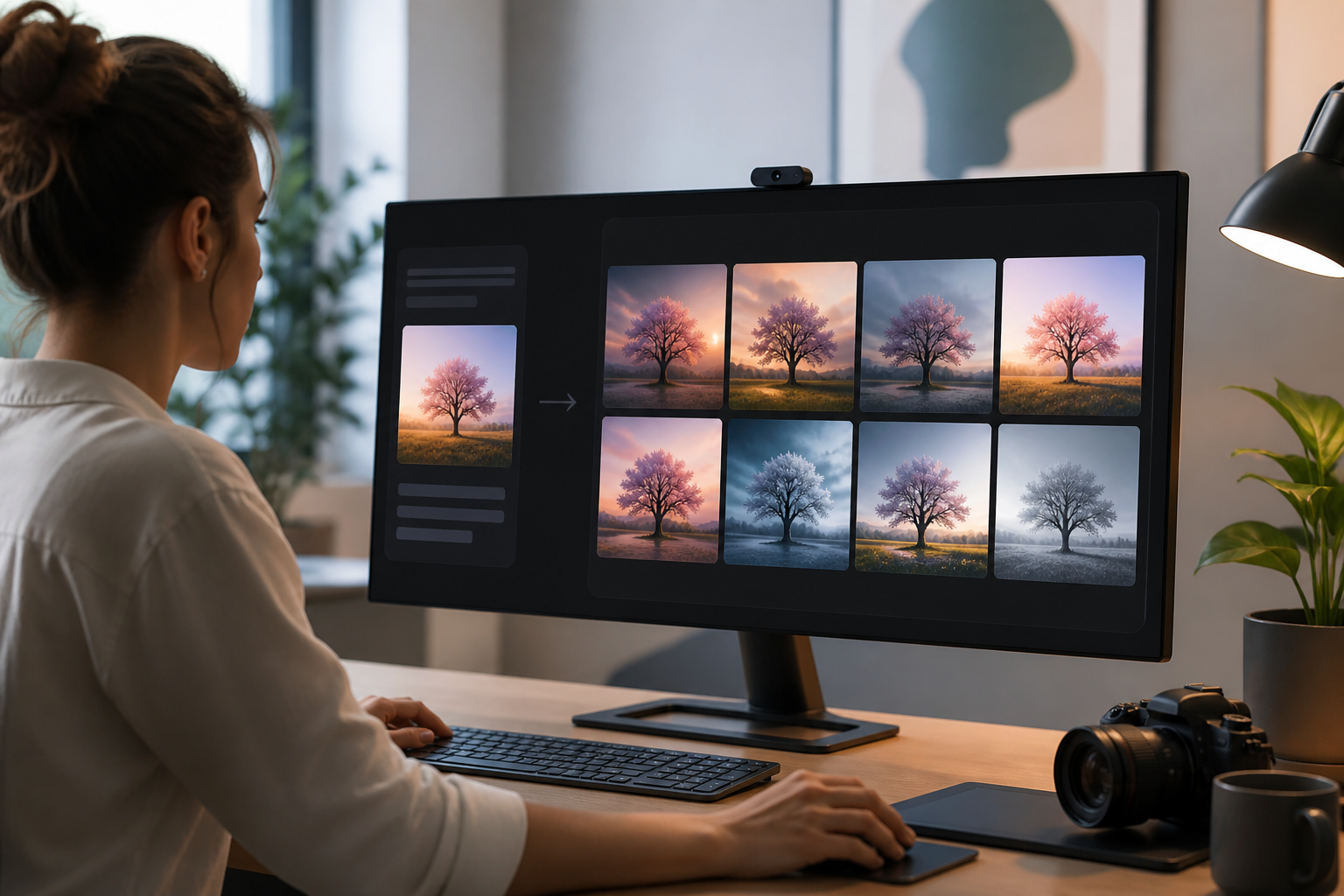
Can ChatGPT generate multiple images at once?
In the ChatGPT client, the realistic answer is: not reliably.
When users ask this question, they usually mean one of these:
- generate 4 separate images from one prompt
- create 10 product image variations automatically
- make several compositions in parallel
- compare multiple outputs side by side before choosing one
That is not how the ChatGPT client usually behaves. In our experience, it is better for a conversational image workflow:
- you describe one image
- ChatGPT generates or edits one result
- you ask for changes
- the conversation continues around that output
That is useful for careful iteration. It is not the same as a true multi-image or batch workflow.
What we tested
We tested the most common user approach: asking ChatGPT to generate several variations in one request.
For example:
```text Create 4 different image variations from this prompt. Keep the same subject, but vary the composition, lighting, background, and camera angle. Return all 4 images in one response if possible.
Prompt: A cinematic product photo of a white running shoe on a glass platform. ```
This prompt is reasonable, but the result is not guaranteed. Depending on the client, account, model routing, and current product behavior, ChatGPT may:
- generate only one image
- create a single 2x2 grid image instead of separate files
- tell you it can make variations one at a time
- require repeated follow-up messages
That matches what users report in community discussions too. In this Reddit thread, a user asked whether they could generate many image variations in ChatGPT, and responses point toward API/script-based generation rather than a built-in ChatGPT client batch feature: Is it possible to generate multiple image in ChatGPT?
The important detail: this is a product workflow limitation, not just a prompt wording problem.
Why ChatGPT usually gives you one image
ChatGPT is designed around conversation. Image generation inside the client is usually treated as part of that conversation, not as a production queue.
That means “make 4 images” can be interpreted in different ways:
- one image containing four panels
- one image first, then follow-up variations
- one generated result because the client limits output count
- several textual prompt ideas instead of several rendered images
This is why users often feel stuck. The prompt may be clear, but the interface is not built around batch output.
Option 1: Use the OpenAI API
If you are technical, the OpenAI API is the most direct way to build a multiple-image workflow.
OpenAI's image generation documentation explains that the Image API can generate images from a text prompt and that the n parameter can be used to request multiple images in one API call: OpenAI image generation guide.
That means a developer can build a script or app that:
- sends the same prompt multiple times
- requests multiple images when the model and endpoint support it
- saves the outputs automatically
- names files consistently
- compares results in a gallery
This is powerful, but it also requires more setup. You need an API key, code, file handling, error handling, and a way to manage costs.
Official OpenAI API pricing snapshot
Before you choose the API route, check the cost model. ChatGPT subscription pricing and OpenAI API pricing are separate. A ChatGPT Plus or Pro plan does not mean you get unlimited API image generation.
Last checked: May 26, 2026. OpenAI's official API pricing page lists GPT-Image-2 with token-based pricing, not a simple flat price per image: OpenAI API pricing.
| GPT-Image-2 price component | Official listed price |
|---|---|
| Image input tokens | $8.00 / 1M tokens |
| Cached image input tokens | $2.00 / 1M tokens |
| Image output tokens | $30.00 / 1M tokens |
| Text input tokens | $5.00 / 1M tokens |
| Cached text input tokens | $1.25 / 1M tokens |
OpenAI also states in its pricing FAQ that API usage is billed separately from ChatGPT subscriptions, and that image pricing is calculated from image tokens. This is why a screenshot or price table should always be treated as a snapshot, not a permanent guarantee.
This matters because the real cost of generating multiple images depends on:
- how many images you request
- image size and output detail
- prompt length
- whether you use image inputs
- whether cached inputs apply
- retries, failed generations, and discarded outputs
So the API is flexible, but it is not automatically simple. If you are generating images at scale, you should estimate cost from the official pricing page before building the workflow.
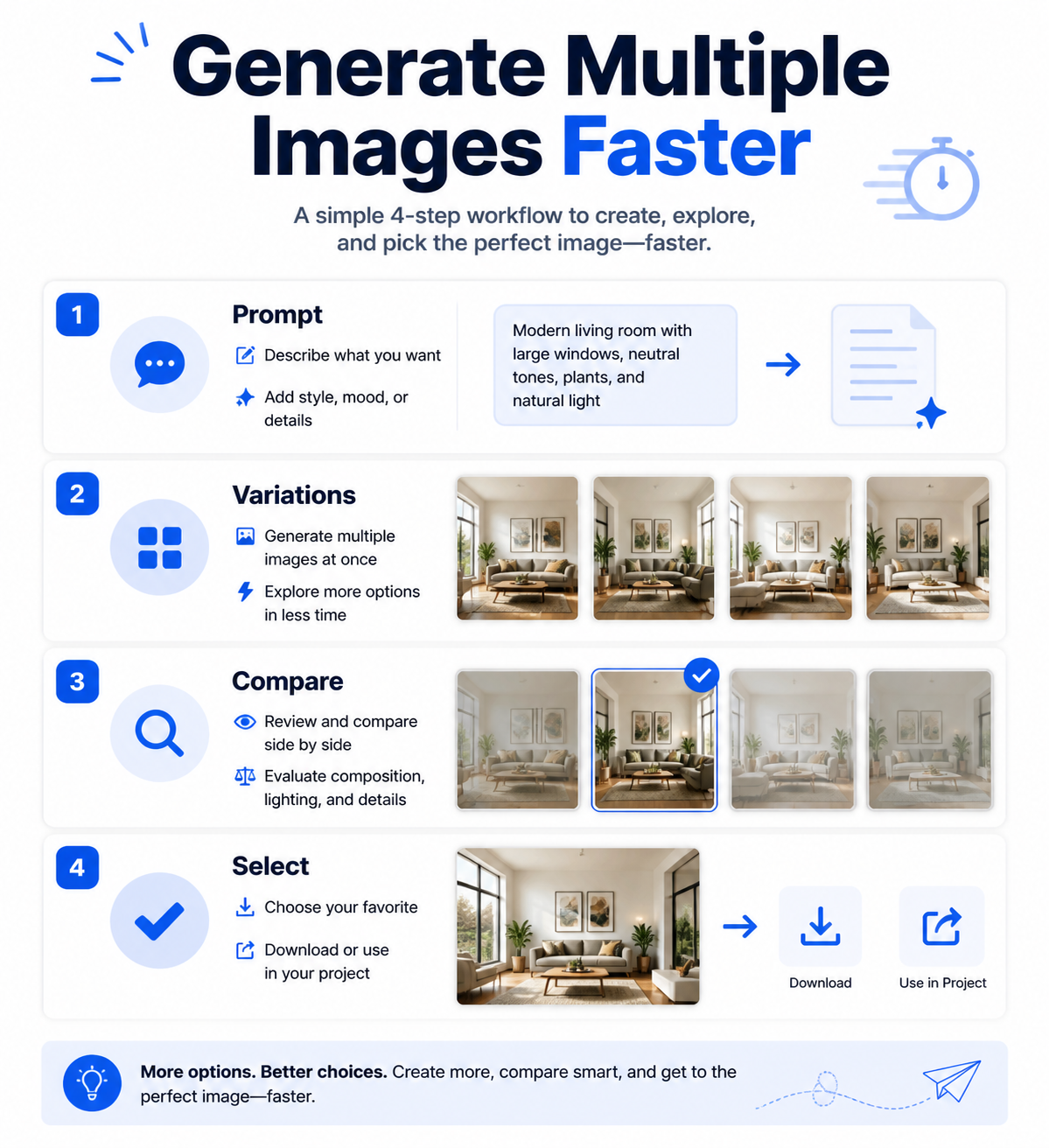
Option 2: Use ImagineGo's homepage multi-output mode
If you do not want to write code, ImagineGo's homepage multi-output mode is the easier path.
This is the workflow we recommend for most creators because it is built around the actual job users are trying to do:
- enter one prompt
- choose the multi-output mode on the homepage
- generate multiple image options from the same idea
- compare outputs visually
- keep the best result
- iterate without turning the whole process into a long chat thread
For marketing images, thumbnails, product concepts, ad creative, posters, and social visuals, that comparison step matters. You usually do not know the best image before seeing several directions.
ImagineGo is also easier to reason about if you do not want to calculate token usage. Instead of building scripts, reading API responses, and tracking output tokens, you can use the homepage multi-output mode and compare the generated results directly.
A practical prompt to start with
Whether you use ChatGPT for prompt planning, the OpenAI API, or ImagineGo, start with a prompt that defines what should stay the same and what should vary.
Use this template:
```text Create multiple image variations from the prompt below.
Keep the same:
- subject
- product identity
- overall style
Vary:
- composition
- camera angle
- background
- lighting
- mood
Prompt: [Describe the image you want] ```
For example:
```text Create multiple image variations from the prompt below.
Keep the same:
- white running shoe
- premium athletic brand feel
- clean product photography style
Vary:
- composition
- camera angle
- background
- lighting
- mood
Prompt: A cinematic product photo of a white running shoe on a glass platform, sharp detail, realistic shadows, commercial advertising style. ```
If you paste this into ChatGPT, it may help you plan variations, but it may not produce several separate images. If you paste it into a multi-image workflow, it becomes much more useful.
Best workflow
Here is the workflow we recommend after testing this problem:
1. Use ChatGPT to improve the prompt if your idea is still vague. 2. Ask ChatGPT for 3 to 5 variation directions, not final images. 3. Move the finished prompt into ImagineGo's homepage multi-output mode or an API-based workflow. 4. Generate multiple outputs. 5. Compare results side by side. 6. Iterate from the strongest image, not from the first image.
This keeps ChatGPT in the part of the workflow where it is genuinely strong: reasoning, rewriting, and planning. It uses a dedicated image workflow for the part where ChatGPT's client is weaker: generating and comparing multiple visual outputs.
When to choose each option
Choose ChatGPT when:
- you need help writing the prompt
- you want to refine one image through conversation
- you are exploring an idea slowly
Choose OpenAI API when:
- you are a developer
- you need programmatic control
- you want to save many outputs automatically
- you are comfortable managing API usage and costs
Choose ImagineGo when:
- you want multiple image directions without code
- you want to use the homepage multi-output mode directly
- you need faster visual comparison
- you are making marketing, social, product, or creative assets
- you do not want to repeat the same prompt manually
Sources checked
To keep this recommendation grounded, we checked:
- OpenAI's image generation documentation for the API workflow: Image generation guide
- OpenAI's official API pricing page for GPT-Image-2 pricing: API pricing
- Real user discussion about trying to generate multiple images in ChatGPT: Reddit thread
Final answer
So, how do you generate multiple images at once in ChatGPT Image 2.0?
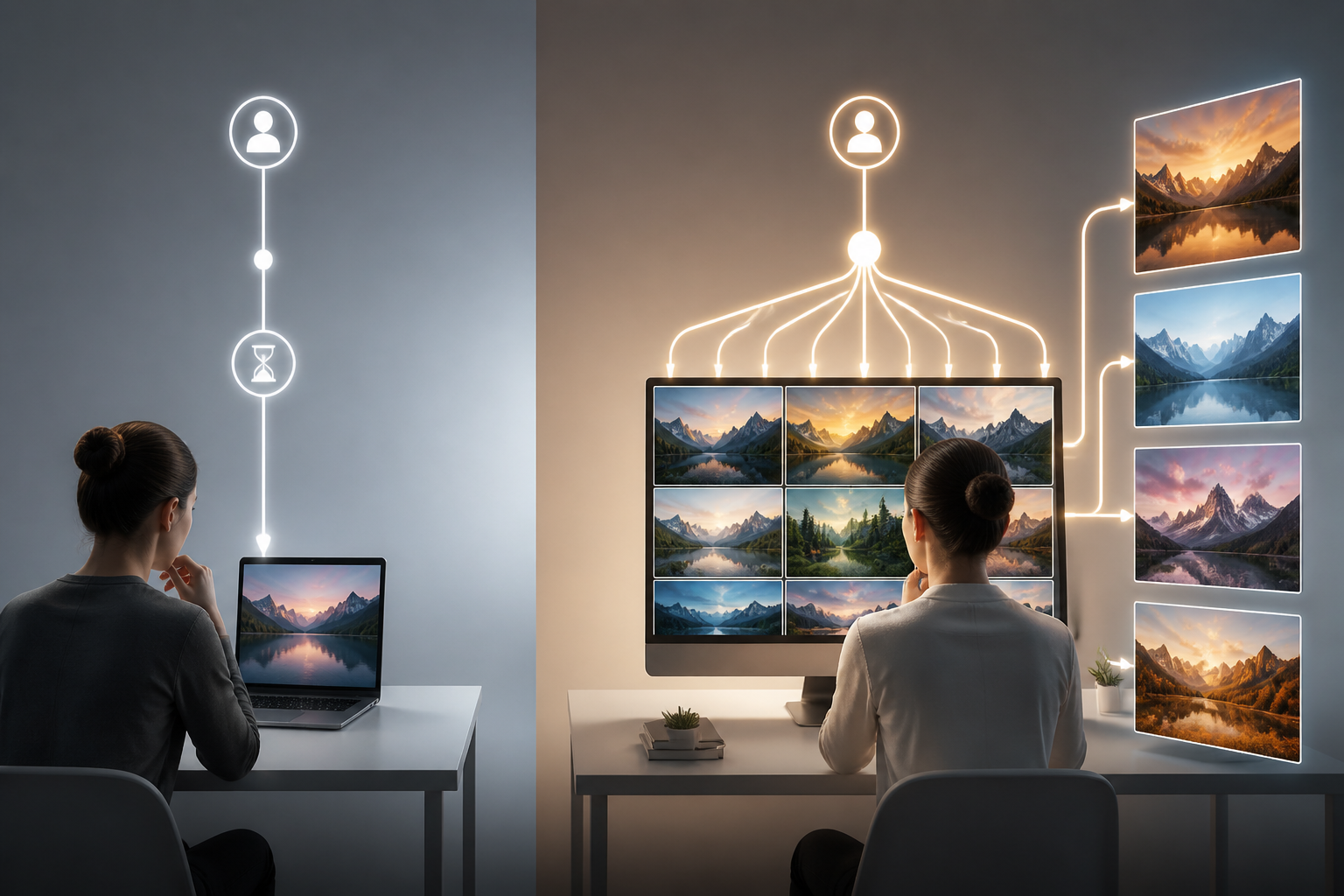
In the ChatGPT client, you generally cannot rely on a built-in feature that generates several separate images at once. You can ask for variations, but the client often still behaves like a one-image-at-a-time conversational tool.
If you want a technical solution, use the OpenAI API. If you want the simplest creator workflow, use ImagineGo's homepage multi-output mode to generate and compare multiple image outputs without writing code.
FAQ
Can ChatGPT generate multiple images in one prompt?
Not reliably in the ChatGPT client. You can ask for multiple variations, but ChatGPT may return one image, a single grid image, or ask you to continue one image at a time.
Why does ChatGPT only generate one image when I ask for four?
The ChatGPT client is built around conversational image generation, not batch image output. The interface may treat your request as one image task, even when your prompt asks for several separate images.
Can I generate multiple images with the OpenAI API?
Yes, the API is the more technical route. OpenAI's image generation documentation supports programmatic image generation, and the API can be used to build workflows that request or run multiple generations. You should check the official pricing page before using it at scale.
Is the OpenAI API included with ChatGPT Plus or Pro?
No. ChatGPT subscriptions and OpenAI API usage are billed separately. If you use the API, you need to manage API billing and usage separately from your ChatGPT plan.
What is the easiest no-code way to generate multiple image options?
Use ImagineGo's homepage multi-output mode. It is designed for creators who want to enter one idea, generate multiple image options, compare them visually, and continue from the best result without writing code.